

To help you keep track of products easily and find them faster, we've introduced Folder-Level Notifications for your Favorites.
This feature allows you to group your favorite listings into specific folders and receive a comprehensive biweekly summary of their performance, straight to your inbox.
What are Folder-Level Notifications?
When notifications for a folder are enabled, you will receive an automated Biweekly Summary Performance Report. Every two weeks, this report will provide a highly detailed snapshot of the tracked listings. Based on the updated layouts, here is exactly what your report will include:
1. High-Level Folder Overview & Metrics: This section provides an at-a-glance health check of the folder:
- Period Sales & Revenue: See exactly how many sales and how much total revenue the folder generated over the last two weeks
- Favorites: The total number of favorites accumulated by these listings.
- Changes Since Last Update: A detailed breakdown of growth, showing you exact numerical increases in sales, revenue, favorites, and overall views compared to the previous period.
2. Top Listings by Revenue Lift: Rather than making you dig for the winners, the report automatically identifies the highest-performing items within your folder. This section breaks down the specific listings driving the most growth.
How to Manage Your Notifications
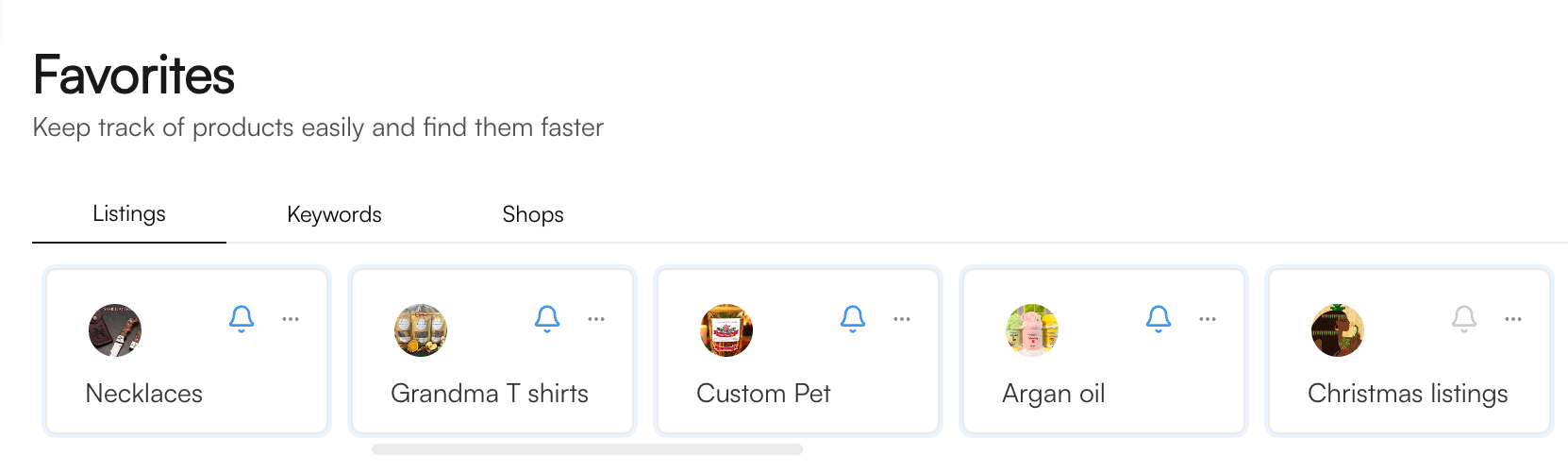
Managing your folder alerts is simple and can be done directly from your Favorites > Listings dashboard.
- Navigate to your Favorites: Click on the "Favorites" section in your side bar and ensure you are on the Listings tab.
- Locate your Folders: You will see all your custom folders displayed as cards.
- Toggle the Bell Icon: Simply click the bell icon on any folder card to toggle your biweekly performance summaries.

To get the most out of your biweekly summaries, we recommend organizing your folders strategically:
- Group by Seasonality: Create folders for specific holidays and turn the notifications on as the season approaches.
- Group by Product Type: Keep distinct categories separated so your biweekly reports give you clear, actionable data.
If you have any further questions or need troubleshooting assistance, please reach out to our dedicated support team!