

Promoting your products just got easier. With EverBee’s built-in social sharing feature, you can now share your products directly to platforms like Facebook and Pinterest in just a few clicks.
This allows you to quickly showcase your listings, drive traffic to your store, and reach a wider audience without needing any additional tools or integrations.
Whether you're highlighting a single product or promoting an entire collection, social sharing helps you stay visible and connect with potential customers where they already spend their time.
How to Share Your Products
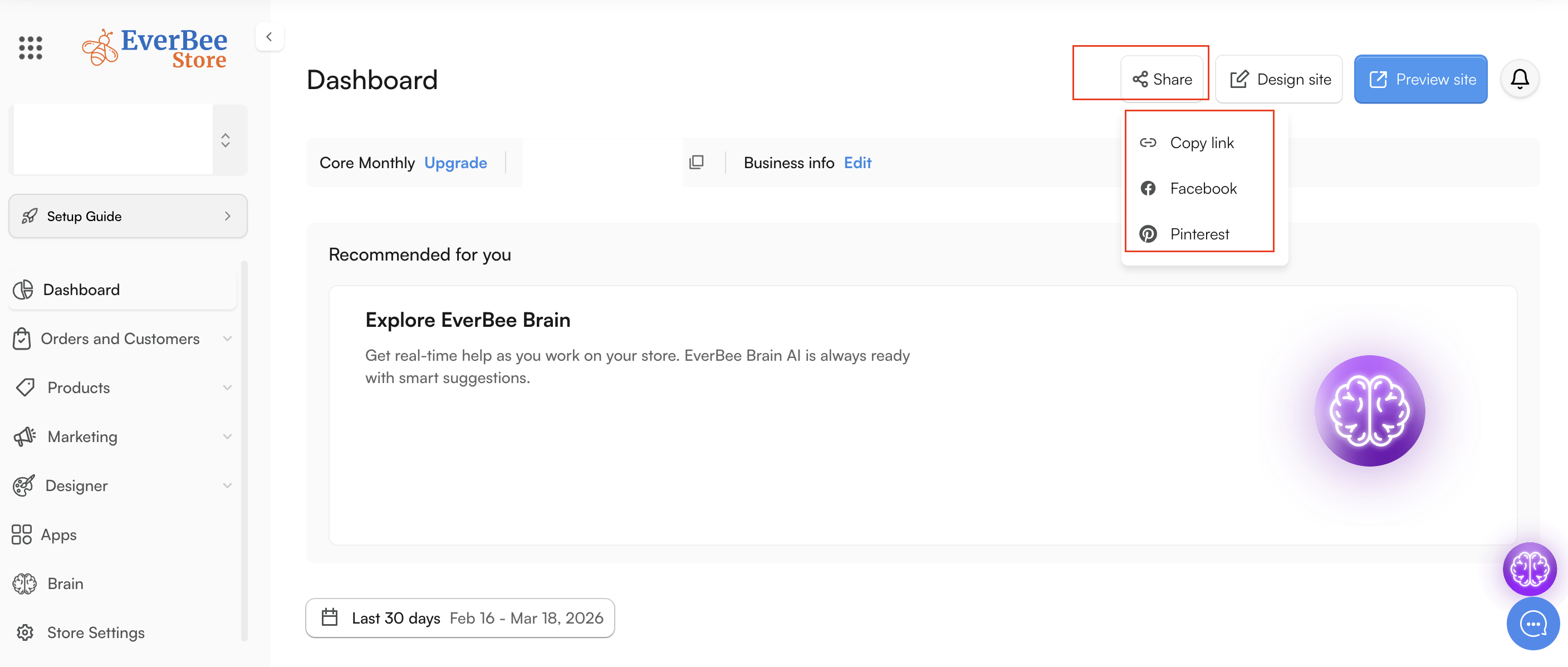
- Head over to your EverBee Store dashboard, and click the Share Icon at the top-right corner of your store.
- There, you will see 3 options displayed:
1. Copy your website link and share it manually
2. Share to Facebook
3. Share to Pinterest.
- Selecting the " Share to Facebook option will automatically generate a post for you with your website image and link attached.
Simply click ''Share'' to publish it.
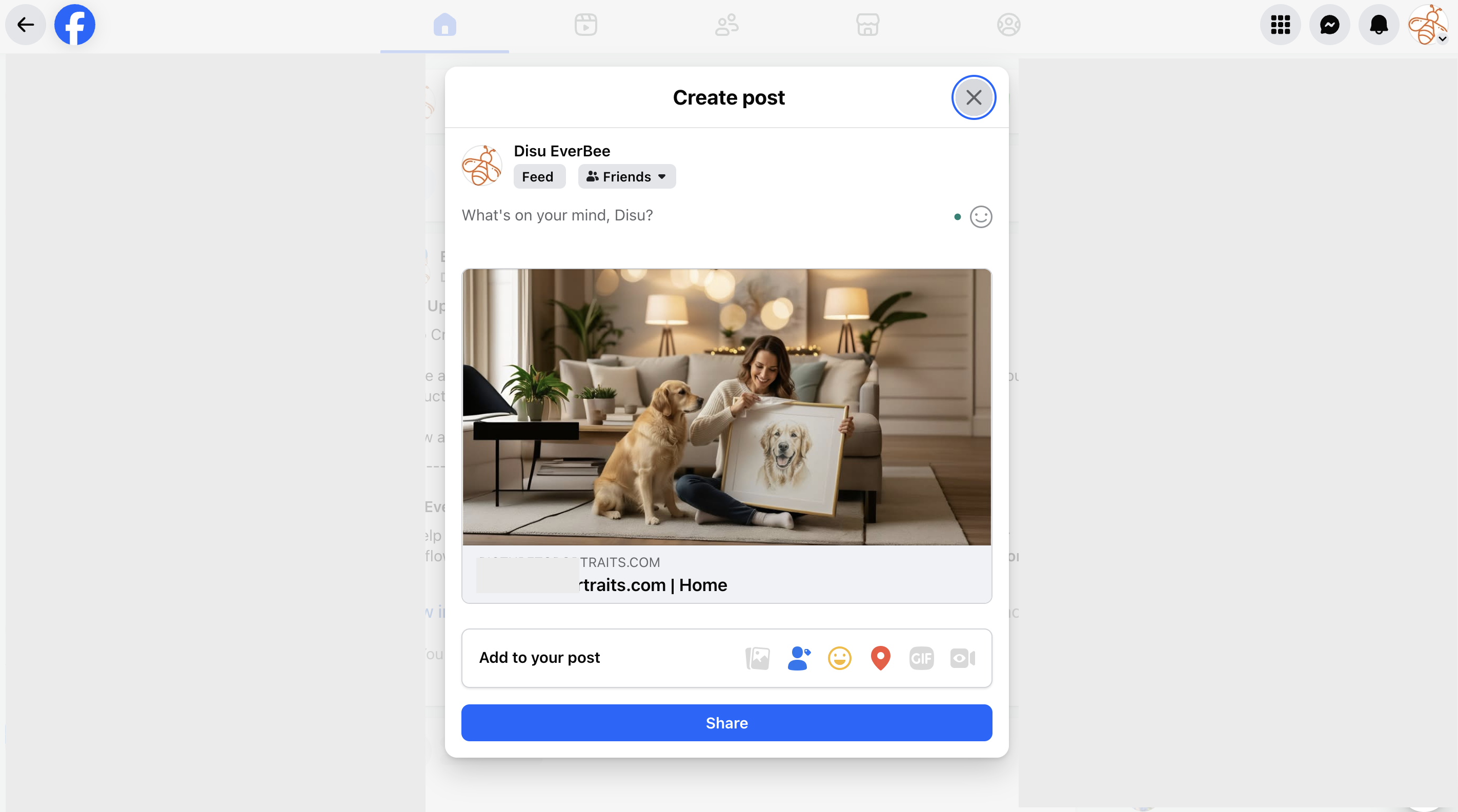
💡 Tip: You can edit the post before sharing to add your own message or hashtags.
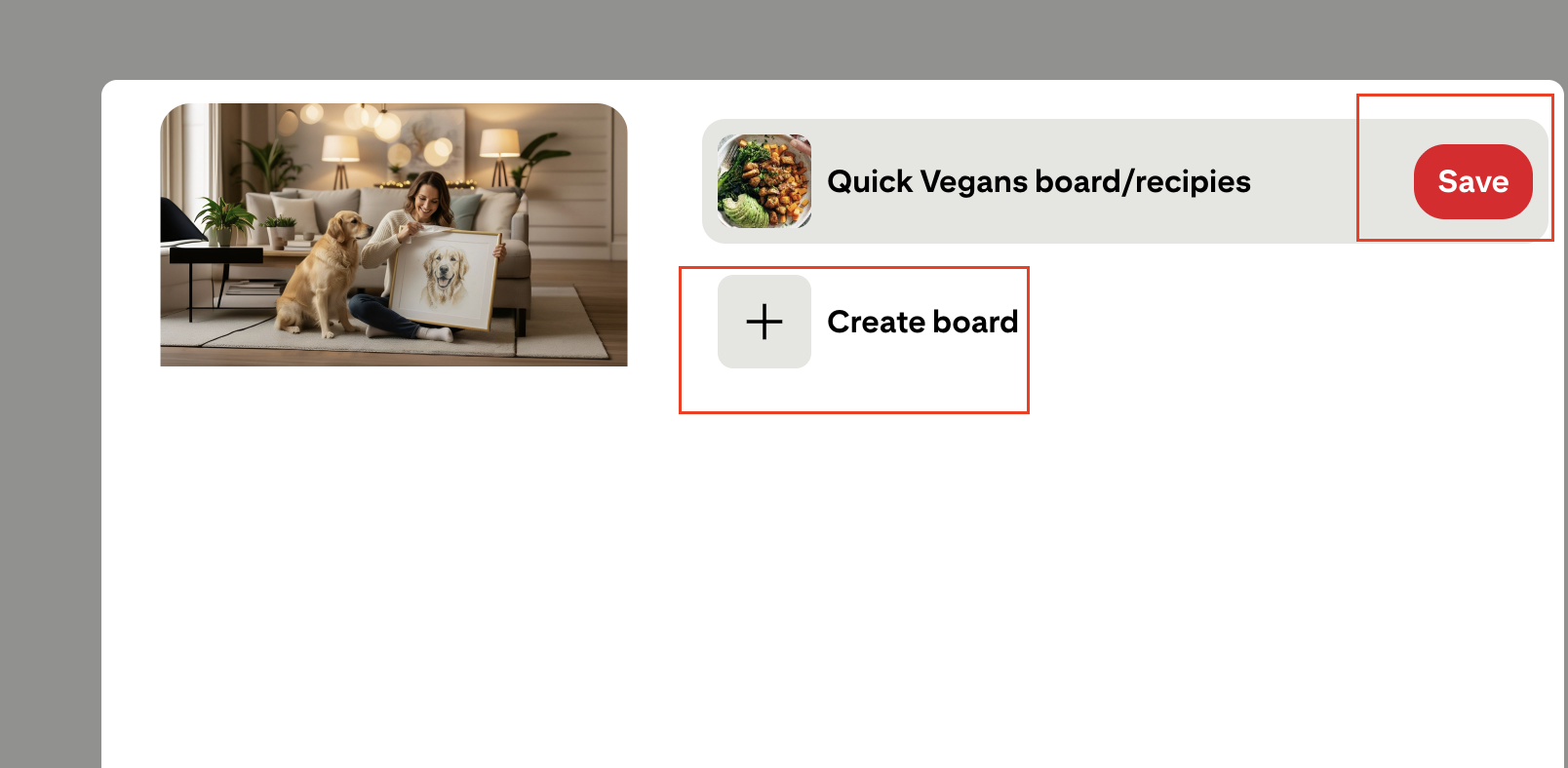
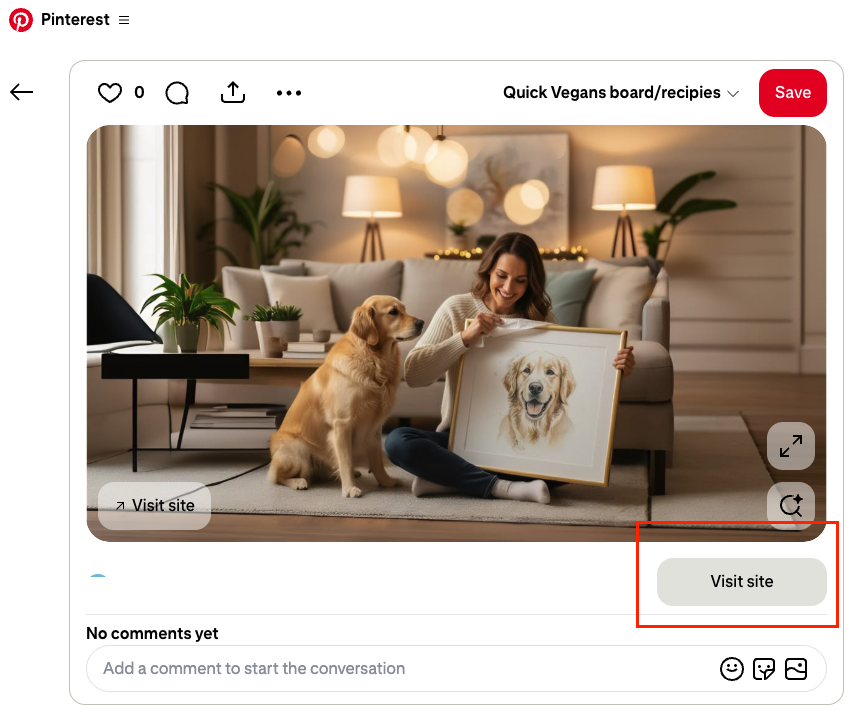
- Selecting ''Share to Pinterest'' will prompt you to save to your already available boards or create a new board. Whichever option you choose, clicking “Save” will make your website visible. A link to your store will also appear directly below your Pinterest post, allowing customers to easily visit your site.
💡 Tip: Use descriptive board names and keywords to help more people discover your products.
Additionally, you can share individual products directly to social media by opening the product you’d like to promote, clicking the Share icon, and following the same steps outlined above.
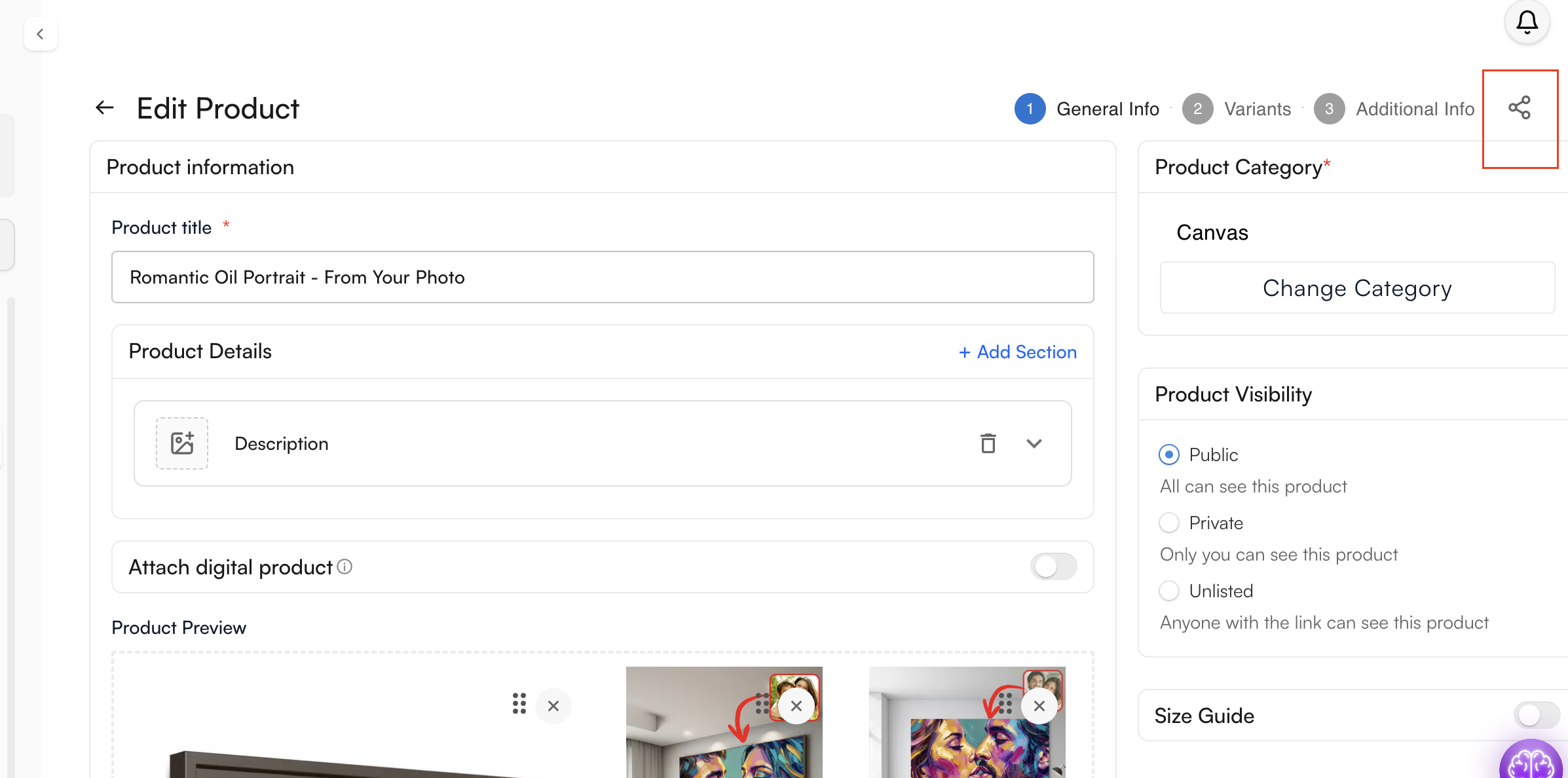
You can do the same with collections, simply access your collections, click the Share icon, and follow the same process.
Important to Know: Currently, sharing is available on Facebook and Pinterest only. Additional platforms may be supported in the future
If you have any questions or need help getting set up, feel free to reach out to our support team. We’re available 24/7 and always happy to help!