

When a customer places an order in your OpoShop that includes Printify products, Printify must be able to charge you before it can fulfill the order.
If no payment method is set up, the order will remain on hold until payment is completed, and this guide explains how to add and manage your payment methods in Printify.
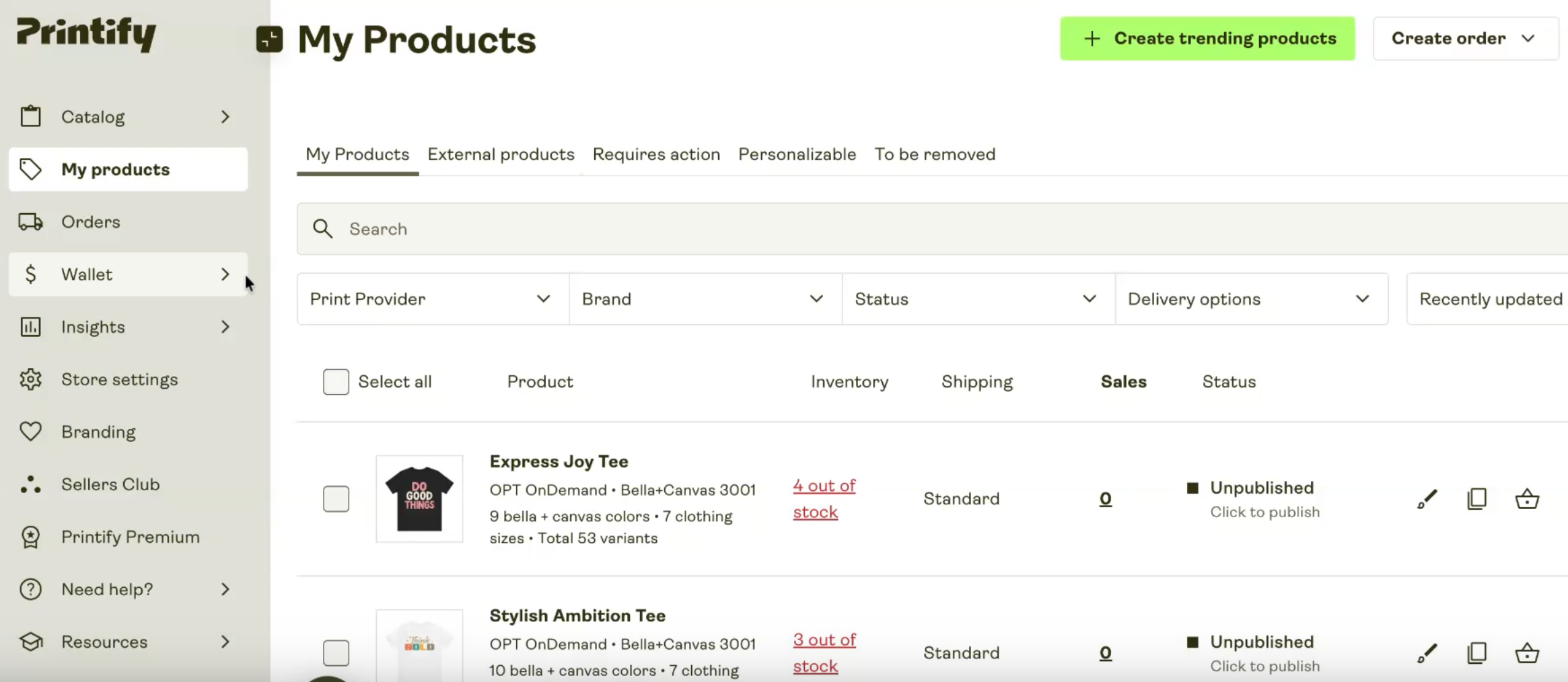
- Why Adding a Payment Method Is Important
Printify does not automatically pay for your orders. Before production and shipping can begin:
- Printify must charge your account
- A valid payment method must be on file
- Payment must be successful
Without this, orders will not move forward.
- How to Add a Payment Method (Quick Steps)
- Log in to Printify
- Go to Wallet → Payments
- Choose one option:
- Add funds to Printify Balance, or
- Add a credit/debit card
- Save your details
- Confirm that your payment method is active
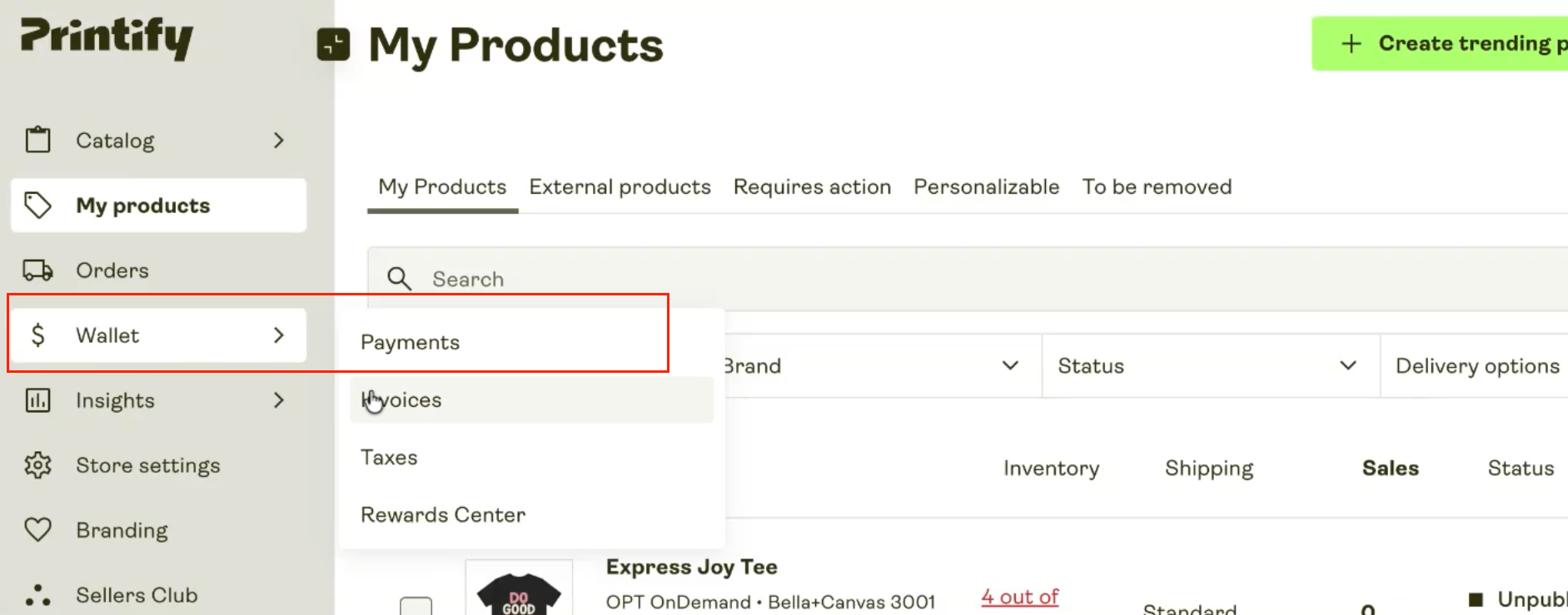
Once completed, your future orders will be processed automatically.
- Available Payment Options
Printify offers two main ways to pay for orders:
1. Printify Balance (Prepaid Balance): With this option, you add money in advance to your account.
How it works:
- Add a fixed amount to your Printify balance
- Orders are paid from this balance automatically
- When funds are low, Printify will notify you
Best for: Users who prefer to pre-fund their account and avoid frequent card charges.
2. Credit or Debit Card: You can link your card directly to your account.
How it works:
- Add your credit or debit card details
- Each time an order comes in, your card is charged automatically
- No need to preload funds
Best for: Users who want automatic, pay-as-you-go billing.
- Currency Settings
In the Payments section, you can also:
- Select or change your preferred currency
- Review how charges will appear on your card
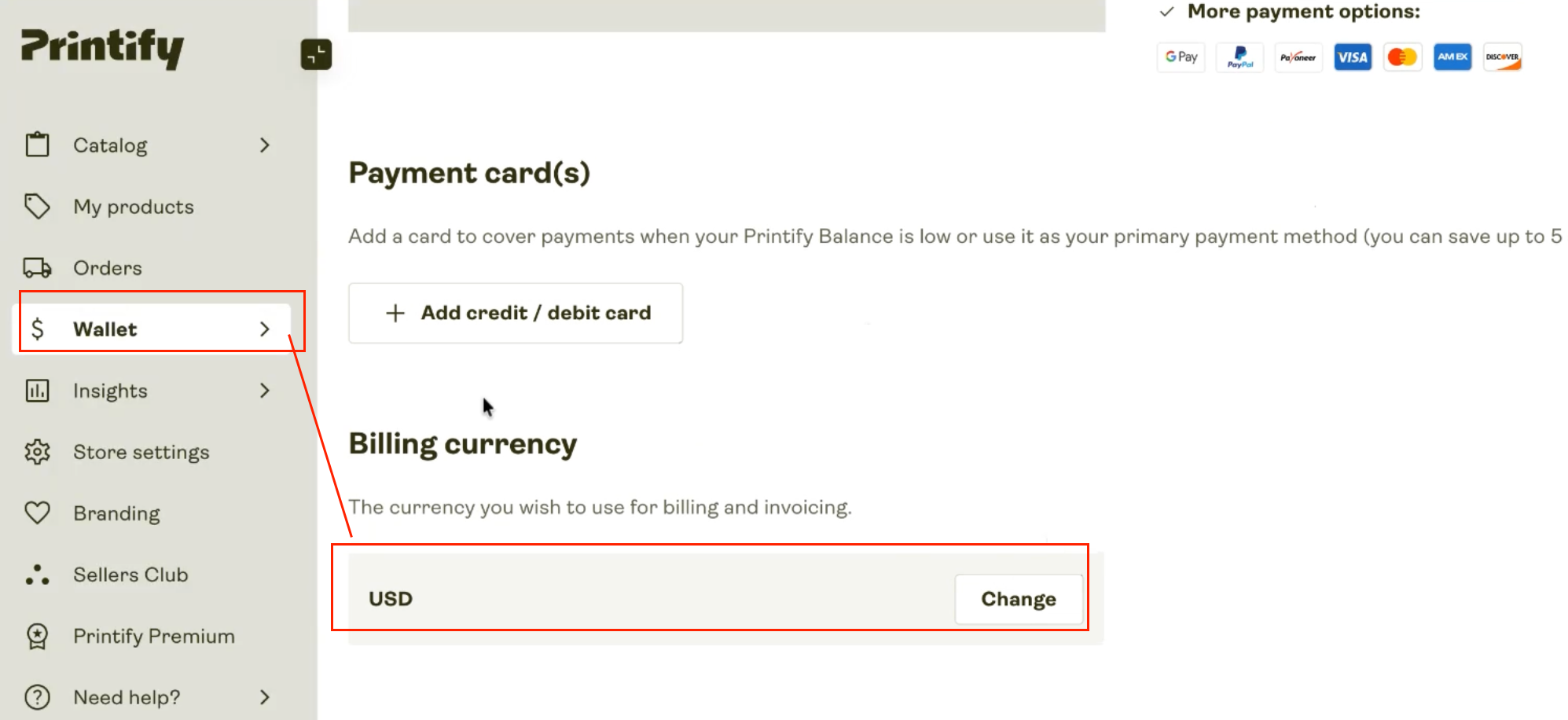
Make sure your currency is set correctly to avoid confusion with billing.
Orders Not Being Fulfilled? Check if an order is stuck or pending, verify:
- A payment method is active.
- Your balance has enough funds.
- Your card is valid and not expired.
- No recent payment failures occurred.
Most fulfillment delays are caused by missing or declined payments.
If you have questions or need help setting this up, feel free to reach out to our support team. We're here 24/7 and happy to help!