

The Favorites for Keywords & Shops feature helps you organize your research, track competitors, and quickly access important data, all in one place.
With this, you can now save and manage keywords, shops, and listings directly inside EverBee, without relying on spreadsheets or external tools.
What Are Favorites?
Favorites allow you to save important items for quick access later. You can now favorite:
- ⭐ Keywords
- 🏬 Shops (competitors or inspiration stores)
- 📦 Listings
All your saved items are stored in organized folders, making them easy to find whenever you need them.
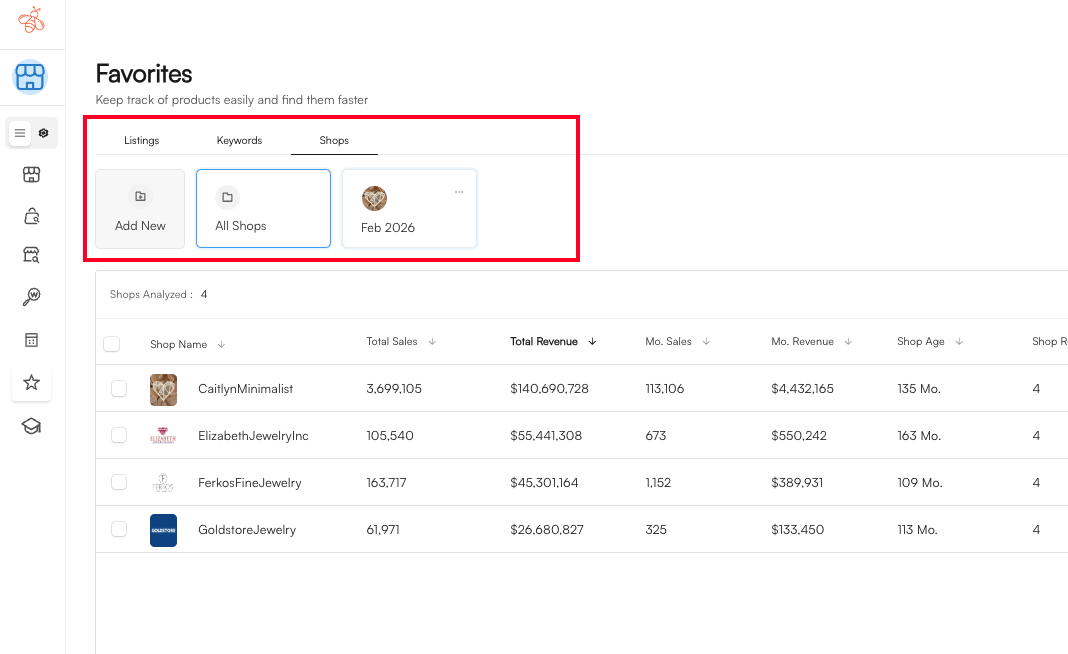
How to Save Keywords, Shops, and Listings
1. Saving a Keyword
- Go to the keyword research section.
- Find a keyword you want to track.
- Click the ⭐ Favorite icon.
- Choose an existing folder or create a new one.
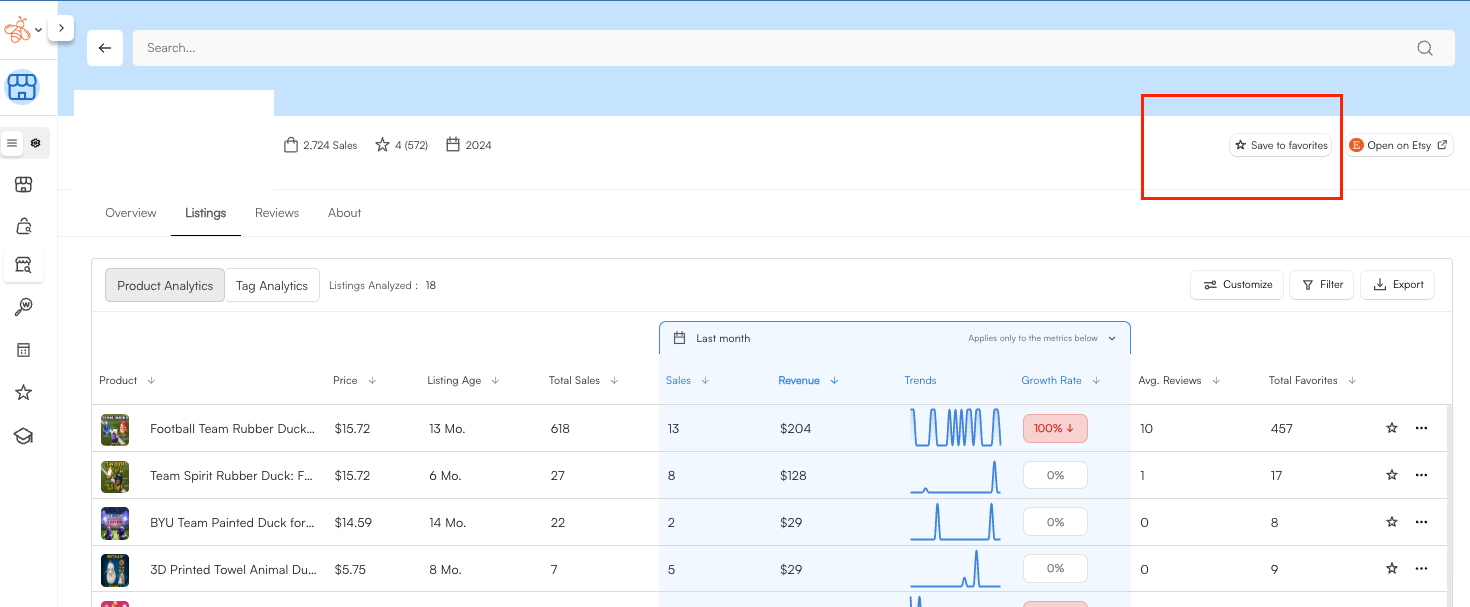
2. Saving a Shop
- Open a shop profile.
- Click the ⭐ save to Favorite option.
- Add it to your preferred folder.
Best Practices
To get the most out of Favorites:
- Review your folders weekly
- Remove outdated keywords
- Add new competitors as you discover them
- Create folders for different niches or projects
This helps keep your strategy focused and organized.
If you have questions or need help setting this up, feel free to reach out to our support team. We’re here 24/7 and happy to help.