

Hello Everyone!
This article will show you how to cancel your Everbee store subscription in the Everbee Store Dashboard.
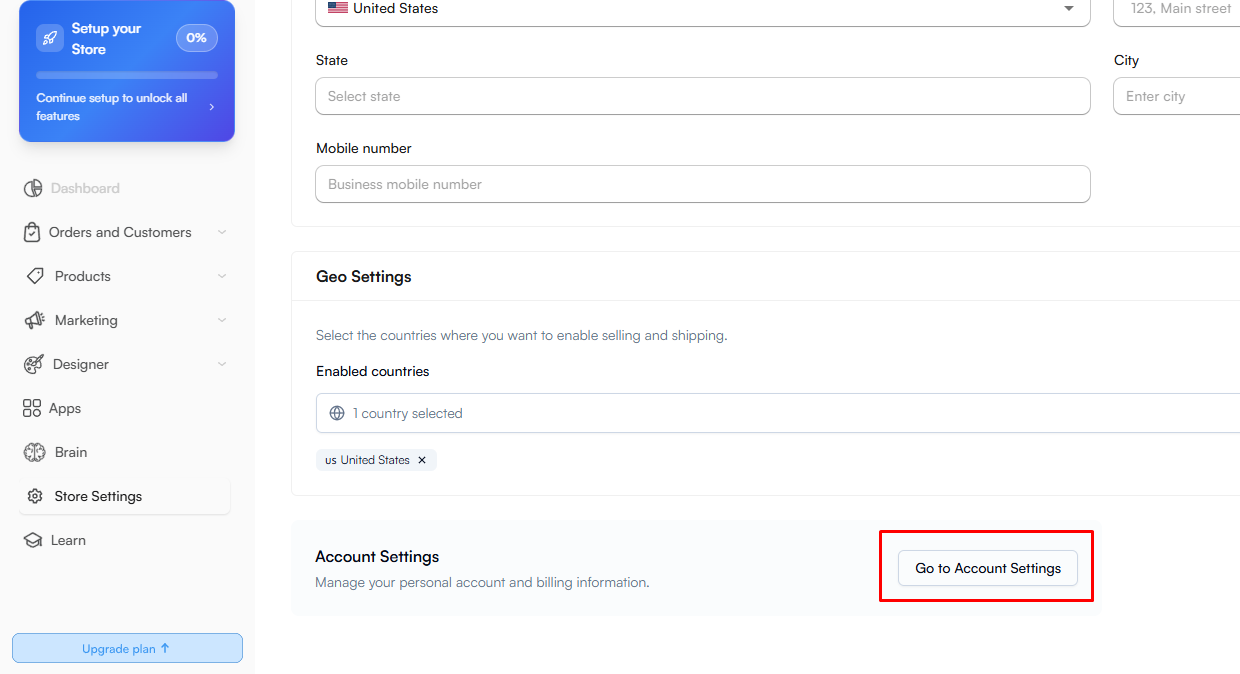
First, click here on Store Settings > Scroll down to Account Settings:
After that, Go to Billing > Manage plan > Cancel subscription:
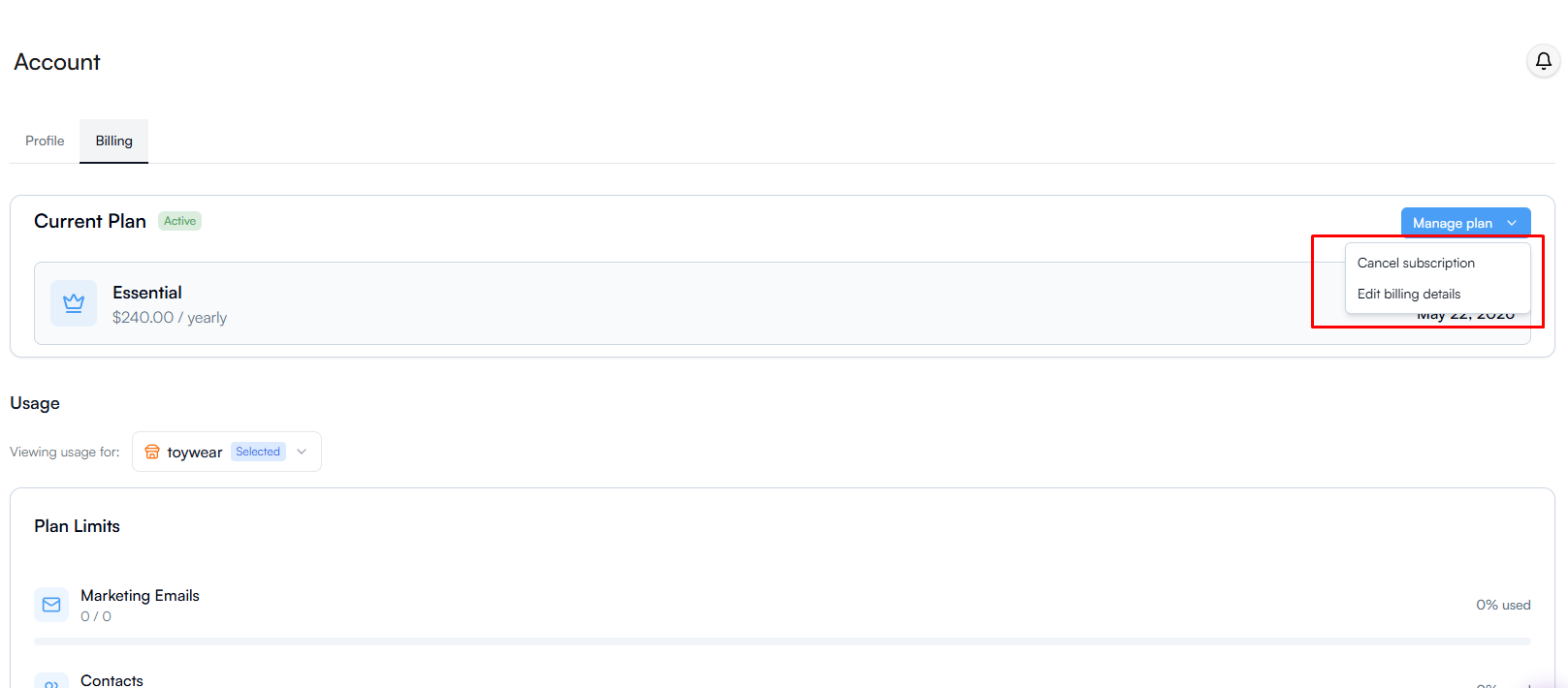
This will automatically cancel your subscription before the next charge. You can still use the subscription until the end of the billing cycle.
If you require any additional assistance, please don't hesitate to contact us at hello@everbee.io.