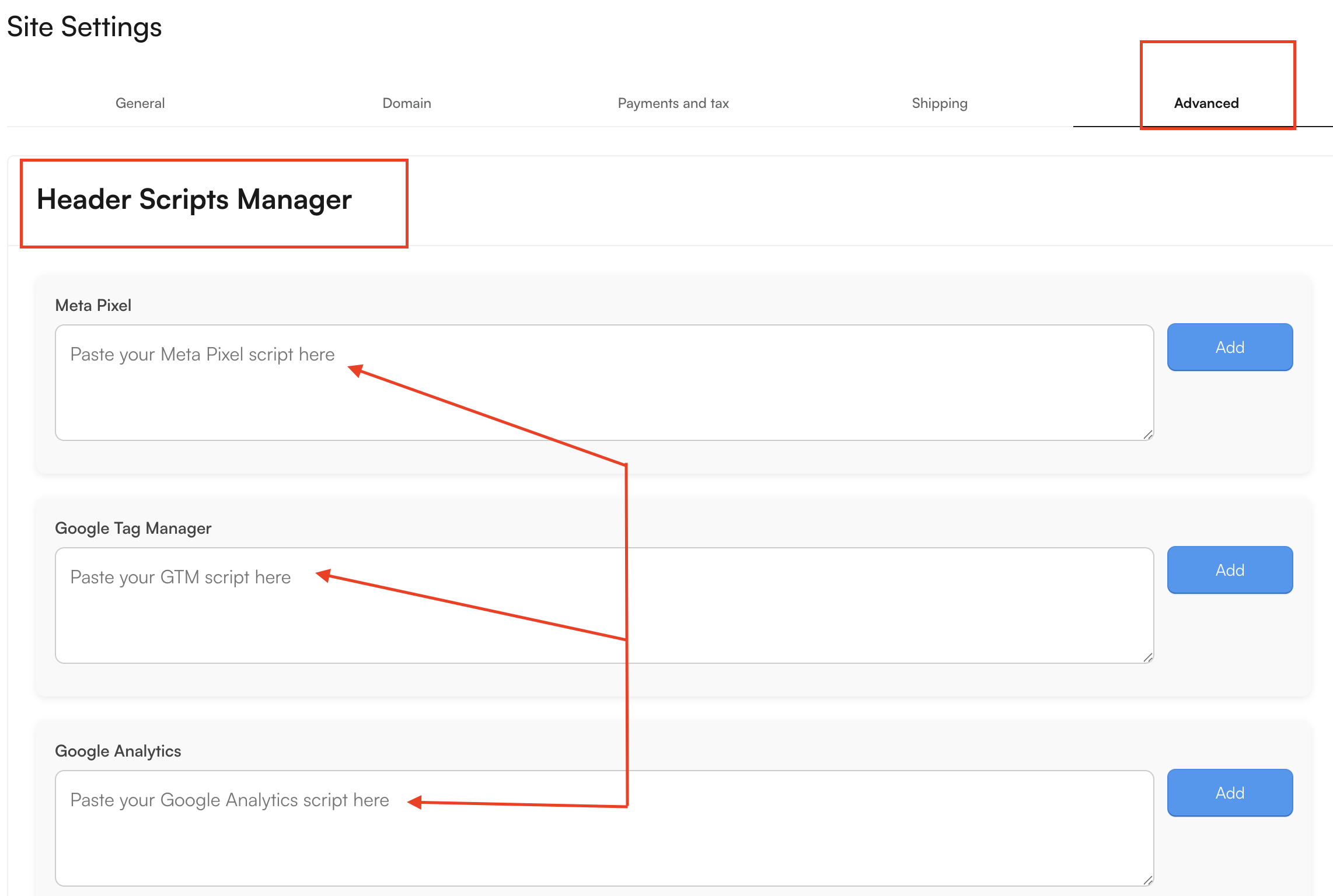
Script Managers
Script Managers in OpoShop allow you to connect your store with popular third-party analytics and marketing tools, helping you better understand your visitors and optimize your marketing efforts.
You can integrate with the following services:
- Meta Pixel
- Google Tag Manager
- Google Analytics
- Hotjar
- Custom Scripts
These integrations can help you track visitor behavior, measure marketing performance, improve ad targeting, and gain valuable insights into how customers interact with your store. Most standard business events are already pre-configured, making setup quick while supporting compliance with GDPR and other applicable privacy regulations.
Important: Script Managers connect your store directly to third-party services.
Before enabling any integration, we recommend reviewing the third party's Privacy Policy and Terms of Service. By using these services, you acknowledge that OpoShop is not responsible for the operation, availability, security, or data practices of third-party providers, including any damages, losses, or issues arising from the collection, processing, or sharing of personal information through those services.
Where Your Data Is Displayed
Data collected through your connected scripts is processed and displayed within the respective third-party platform, where you can view reports, analytics, and performance insights.
For example:
- Google Analytics – View website traffic and visitor insights in your Google Analytics dashboard.
- Meta Pixel – Track conversions and advertising performance in Meta Ads Manager.
- Other third-party tools – Access analytics and reports through each provider's own dashboard.
How to Connect a Script
To add a script to your OpoShop store:
- In your store dashboard, go to Store Settings.
- Select the Advanced tab.
- Add or configure your preferred script integration.
- Copy and paste the script provided by your third-party platform into the appropriate field.